
Account settings
The time zone the dashboard shows times in, its language, and your cookie choice.
Account settings, in the … menu next to your name at the bottom of the sidebar, holds your own settings. They are the same in every team you belong to, and kept in this browser.
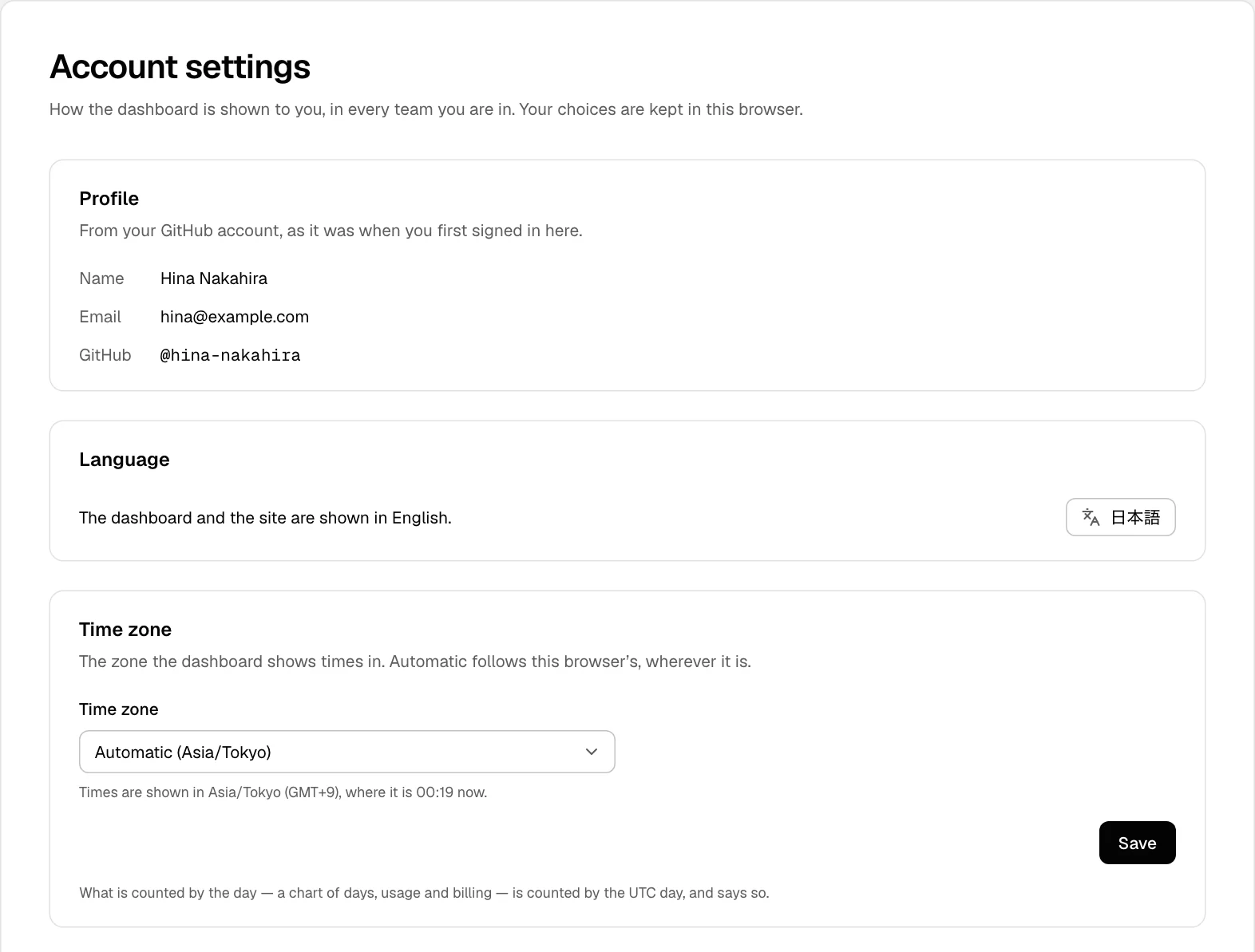
Time zone
The dashboard shows times in your time zone: when a deployment was built, the lines of a log, the hours of a chart. Wherever a time is written in full, in a tooltip or a log's details, the zone is named with it.
- Automatic, the default, follows this browser's time zone, wherever it is.
- To keep one zone whatever the browser says, choose it from the list and choose Save.
Until this browser has told the dashboard its time zone, the first page it opens shows UTC for a moment, then its own zone.
Some things stay in UTC, and say so:
- A chart of days in Web Analytics or Speed Insights: its days are UTC days.
- Usage and billing: usage is counted by the UTC hour, and periods are UTC.
- The schedules of cron jobs.
- The Cache Inspector, which shows each moment as the inspector recorded it.
Language
Switches the dashboard and the site between English and 日本語, as the … menu does.
The dashboard sets the cookies it needs to keep you signed in, and to remember your language and time zone. What it asks you depends on where you are:
- In the UK, the EU and the EEA, or where your region cannot be determined, analytics is optional: choose Accept analytics or Necessary only. The one choice covers session replay too.
- Everywhere else, usage analytics runs under the Terms of Service, and only session replay is yours to allow: choose Allow replay or Don't allow. Allowing replay also turns analytics back on in this browser if you had opted out.
The dashboard asks once, in a banner; change it here whenever you like. The privacy policy has an opt-out control at its end, which stops analytics and replay together.
Profile
Your name, email address and GitHub account, as GitHub had them when you first signed in.