
Inspecting a build
See every route a deployment built, how each is served, and the exact shell the edge sends.
Every deployment that finished building can be inspected. Next.js builds show routes, how each is rendered and, for a prerendered page, the shell the edge sends first. Native Worker builds show the framework, version and static asset counts; they have no Next.js route tree or runtime Cache tab. Build inspection works with or without the Cache Inspector.
Open it
On the Deployments page, open the … menu of a deployment and choose Inspect build output, or open the deployment and choose the Build output tab. It describes what this deployment built; recorded runtime cache entries are under Cache → Entries.
Routes
Build output shows every route that runs code in the folders it was written in — route groups and parallel routes included — with how each is rendered. Folders start closed, and a run of folders that each hold one more folder is drawn as one row, so a page several folders deep is a click or two away. Choose Open every folder to open the whole tree at once, or search by path: the search keeps the routes it reaches and opens the folders down to them, and it matches a route group too, which no URL under it has a trace of.
How each route is rendered:
| Rendering | Meaning |
|---|---|
| Static | Complete at build time; sent whole from the edge. |
| PPR | A prerendered shell sent from the edge, with the rest streamed by your app. |
| Dynamic | Rendered by your app on every request. |
| Route Handler | An App Router route handler. |
| API route | A Pages Router API route. |
| Not recorded | A page of a build made with Next.js 16.2, which does not record how its pages are rendered. |
On a deployment built with Next.js 16.2, a notice over the tree says the build did not record this, and no route has details to open: Next.js 16.3 records both. See Next.js 16.2.
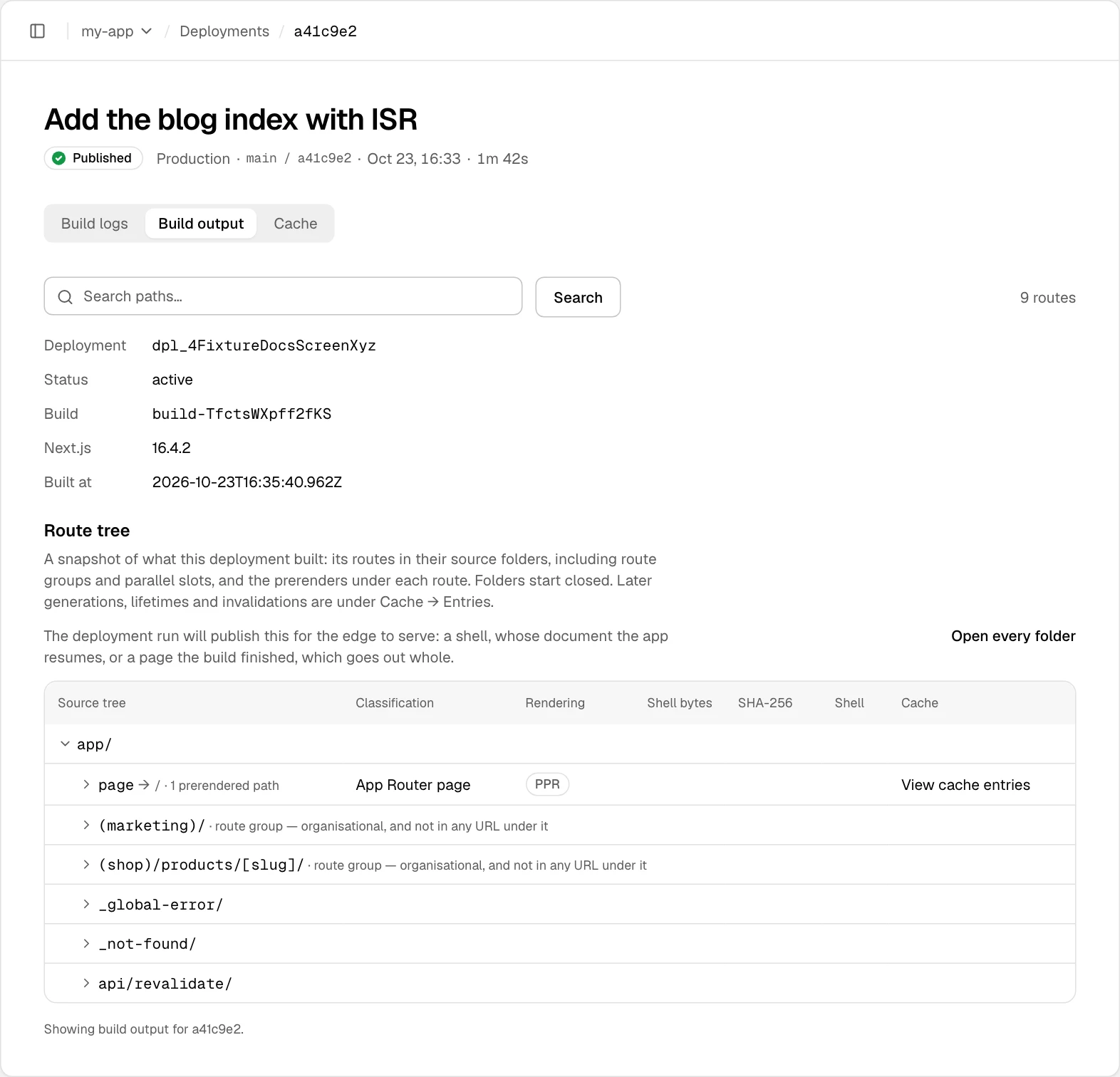
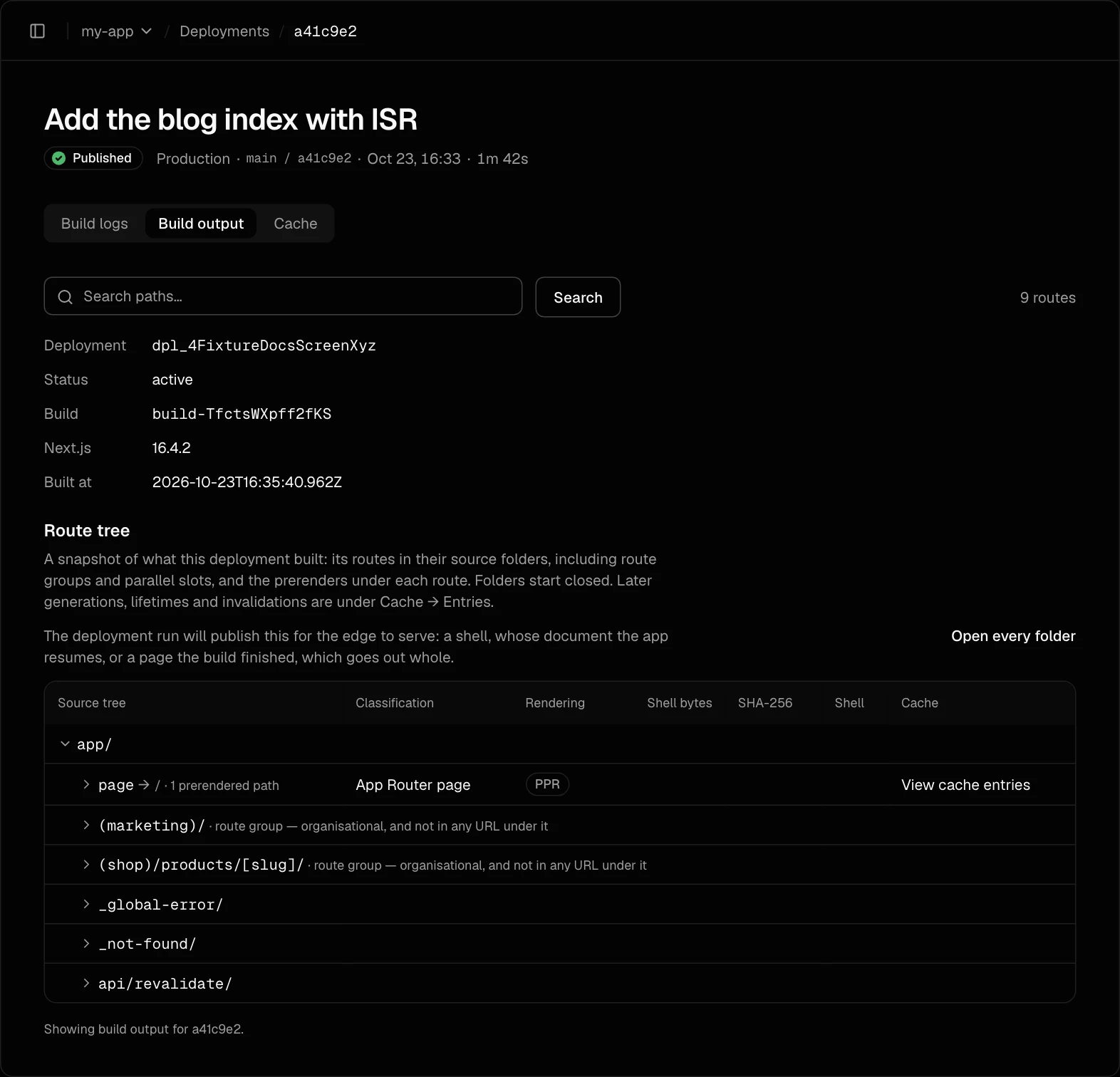
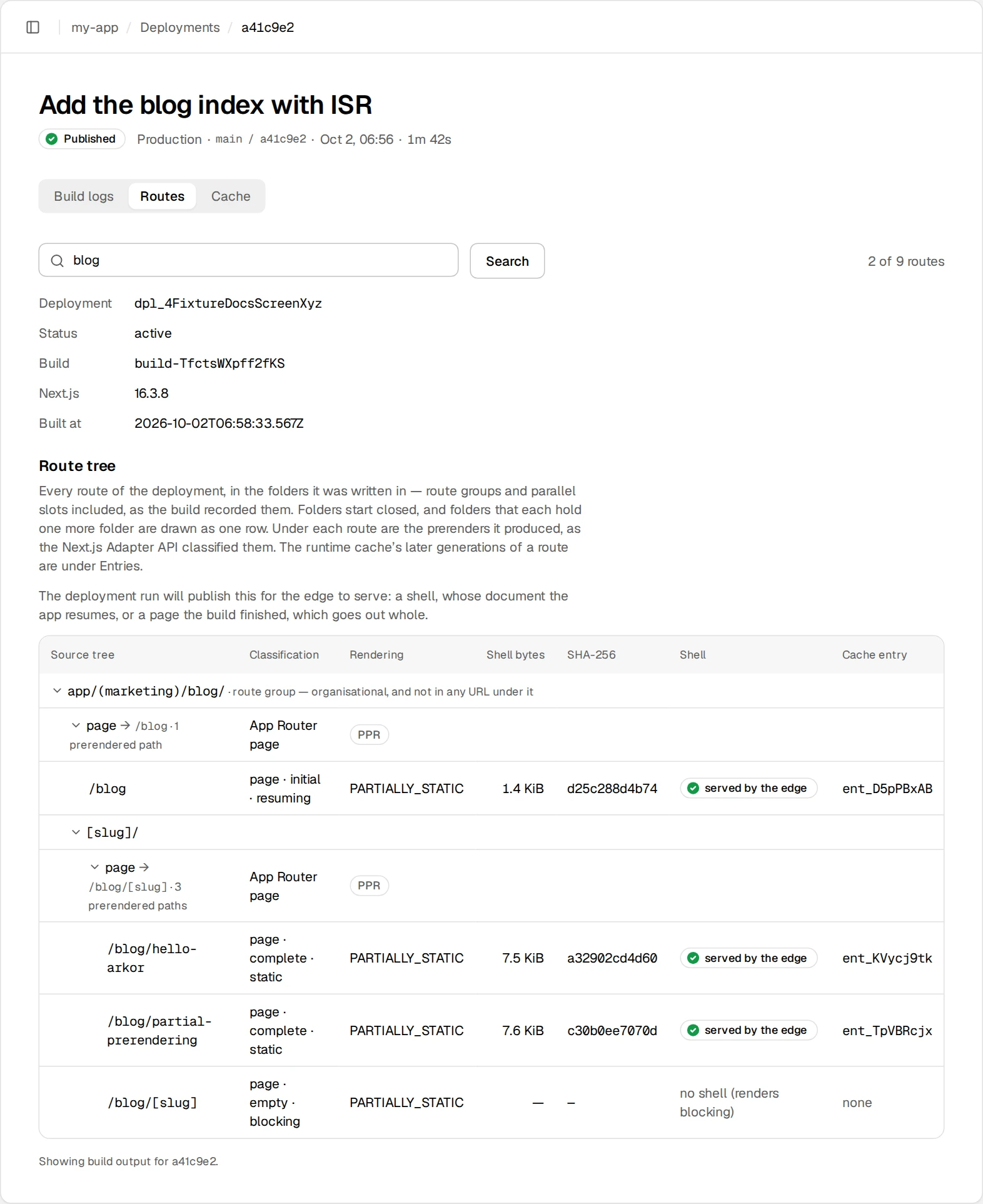
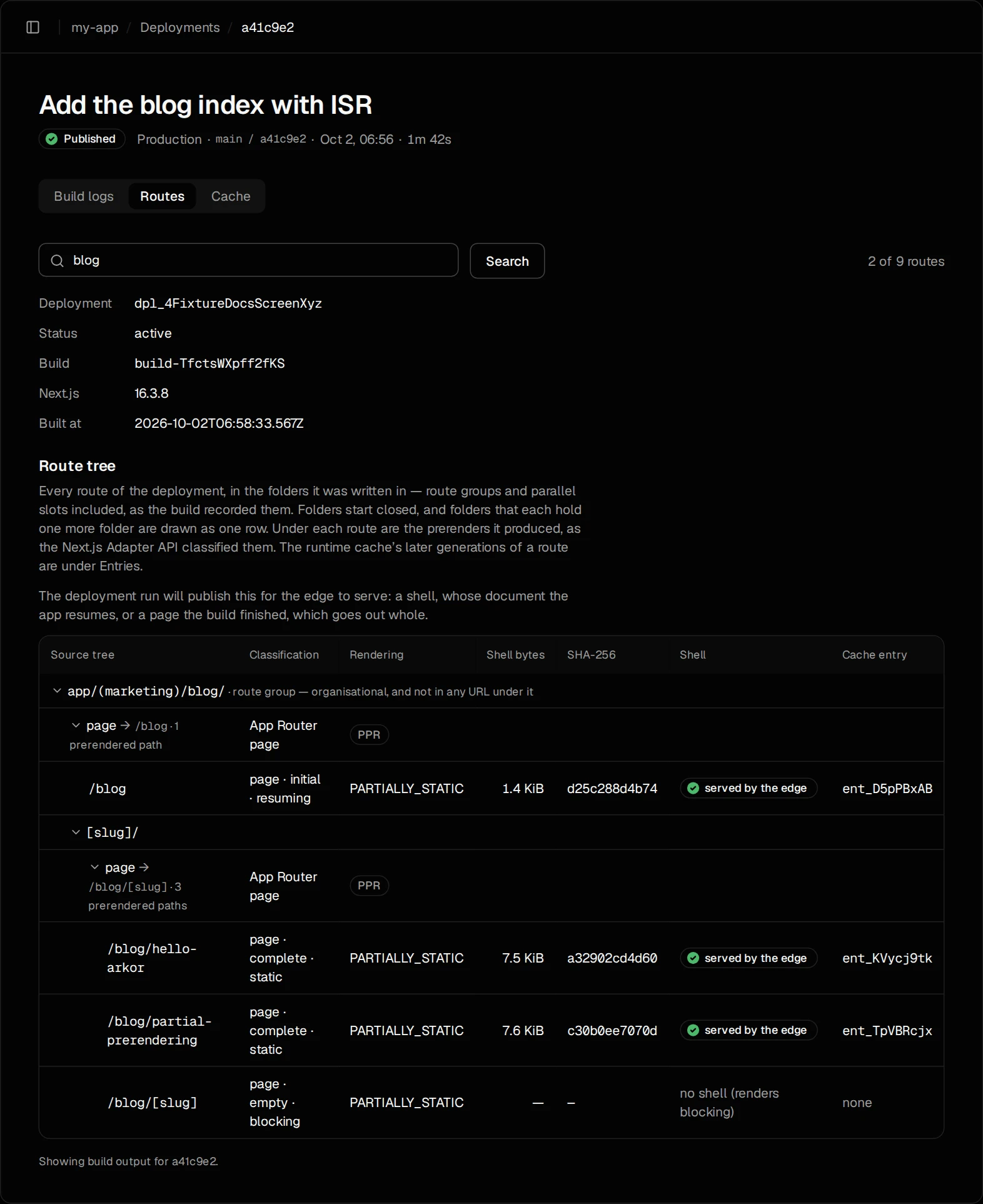
Open a route to see the paths the build prerendered for it, each with the size and SHA-256 of its shell and whether the edge serves it. A route that prerendered nothing says so instead.
For a route that supports runtime caching, View cache entries opens the recorded entries filtered to that route, including entries generated after the build. This link does not count entries or say that any have been recorded.
A prerendered page
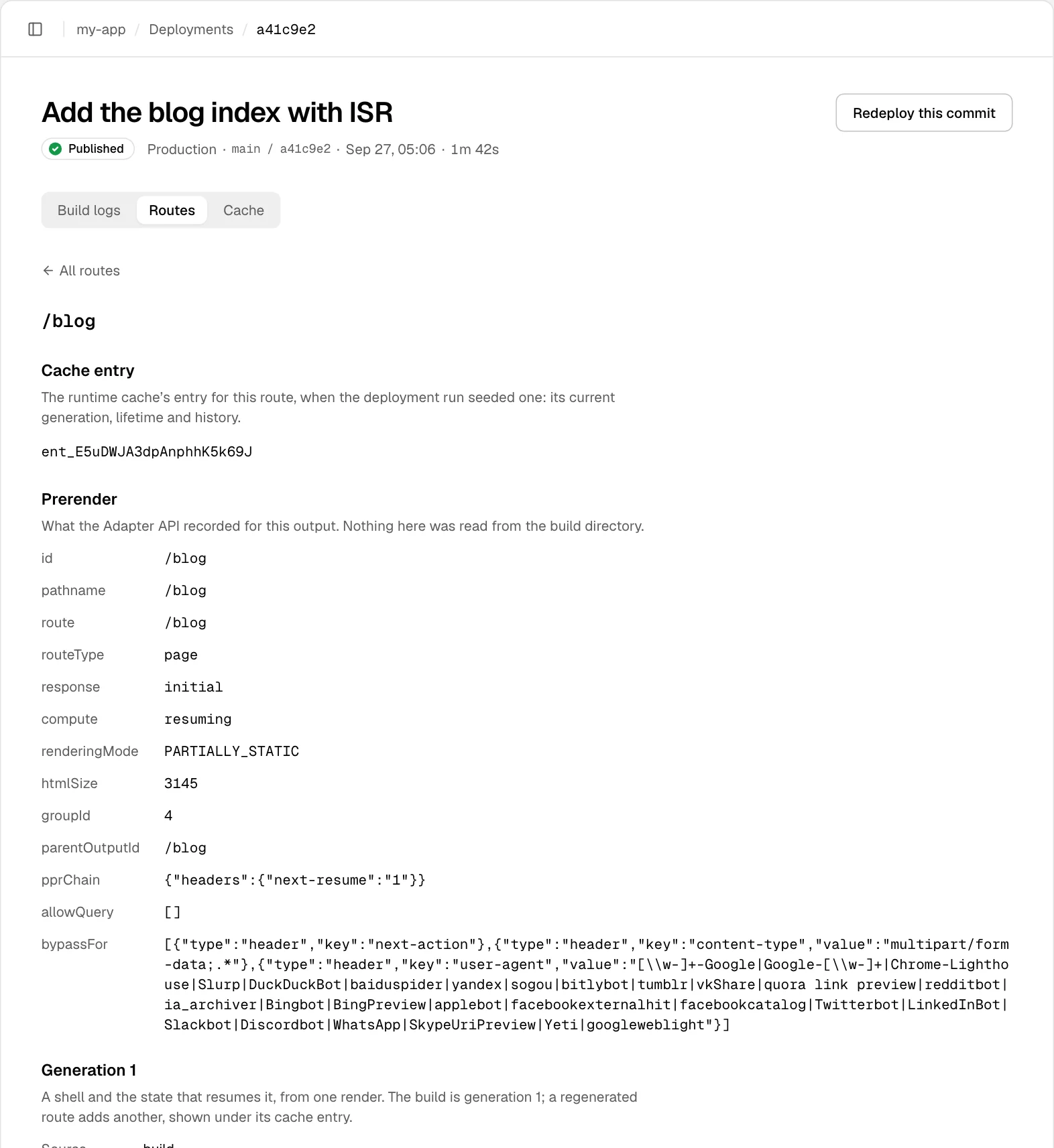
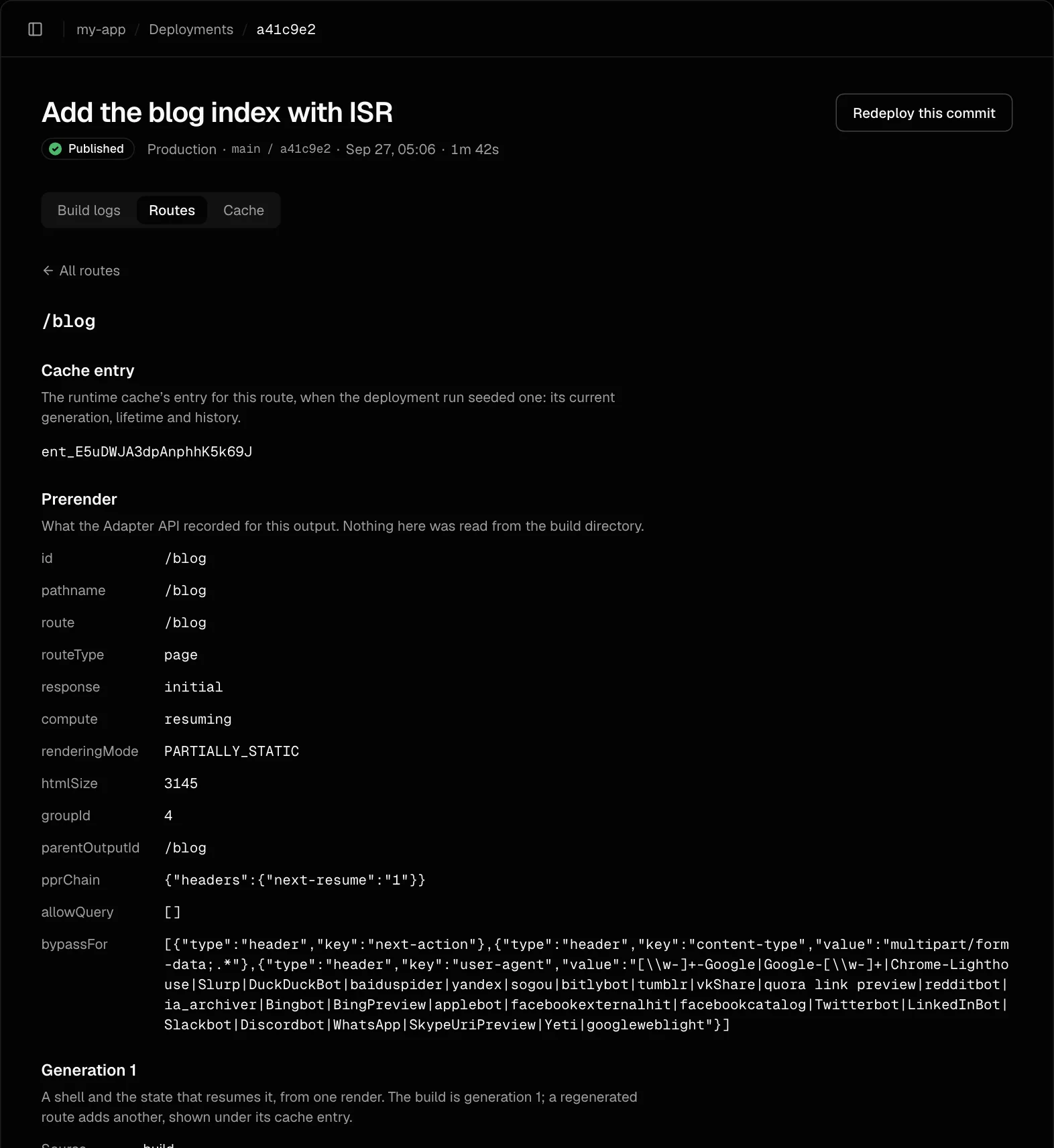
Choose a prerendered path under a route to see what the build produced for it:
- Prerender: its pathname, route and how it is rendered.
- Generation: the shell's size and SHA-256, and the state your app resumes it from.
- Headers: those the build recorded, and those the edge sends with the shell.
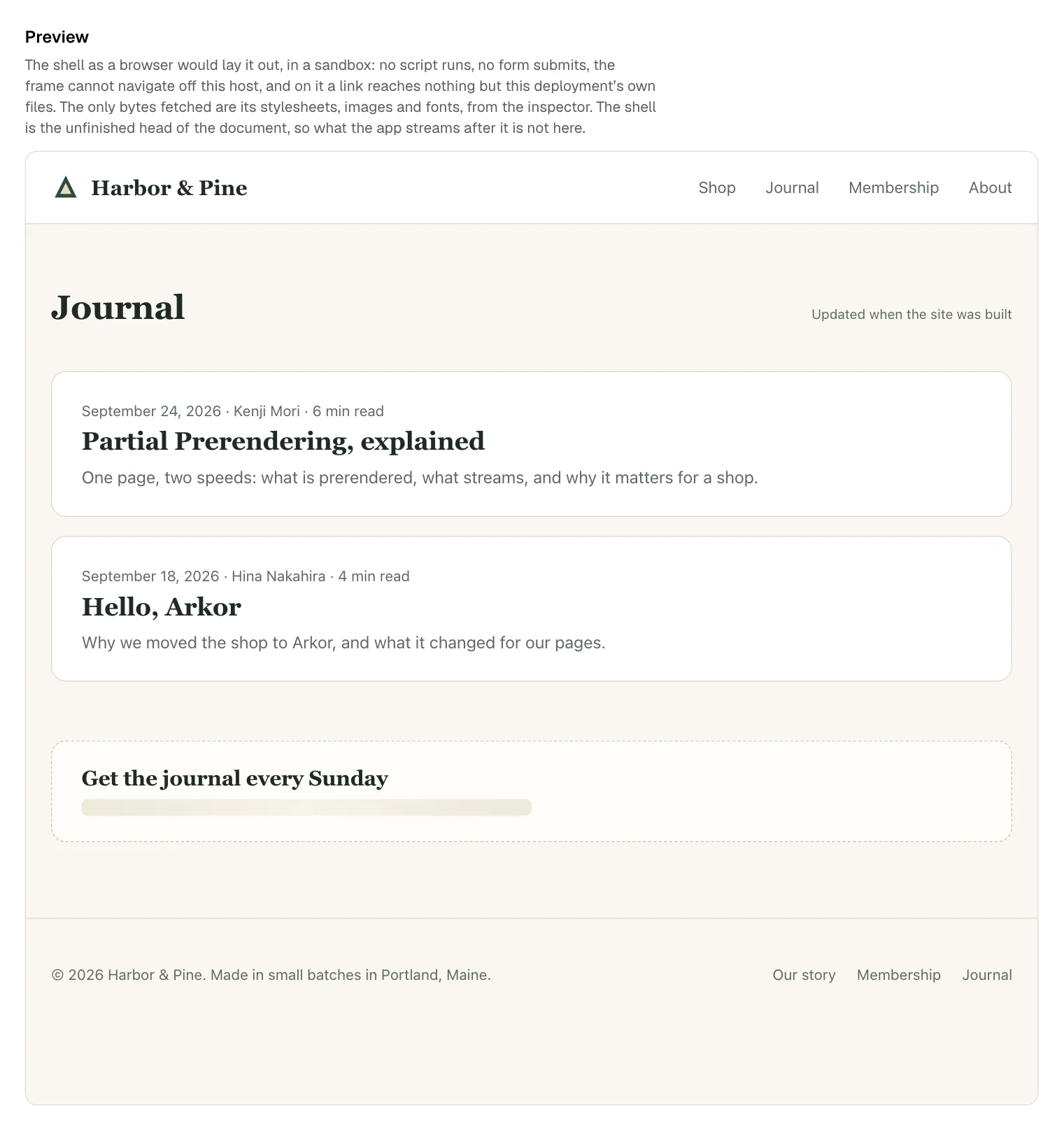
- Preview: the shell as a browser lays it out. No script runs in it, and what your app streams after the shell is not there.
- HTML: the shell exactly as it was built. Choose Download the exact bytes to save it.

Everyone in the team can see routes and metadata. Only owners and admins can see the headers, the preview and the HTML.
When a route has a cache entry, Cache entry opens it in the Cache Inspector.